
Programming instructions

OPERATION & CALIBRATION
1-29
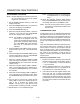
2ND LEVEL PROGRAMMING
NOTE: Time must be zeroed out in order to perform
the following functions.
Setting a temperature offset
1. Set the temperature dial to 210_.
2. Push and hold the CANCEL and START TIMER
keys until the display reads 000.UPO
3. Enter the desired offset.
4. Push the ACTUAL TEMP key.
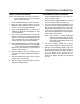
Fahrenheit to Centigrade Conversion
1. Set the temperature dial 220_.
2. Push and hold the START TIMER until the display
reads CCC_.
3. Enter the desired temperature.
4. Push the ACTUAL TEMP key.
Changing Minutes to Seconds or
Hours to Minutes
1. Set the temperature dial to 230_.
2. Push and hold the START TIMER until the display
changes from MIN to HR.
3. Push the ACTUAL TEMP key.