
Installation guide
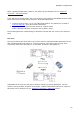





BlipNode Configurations
49
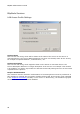
Making a new BlipNode Configuration
A new configuration can be created in two ways, either by creating a new configuration from
the default template or by duplicating an existing configuration.
“New” button
In this case a new clean configuration is made.
“Duplicate” button
By clicking on one of the standard configurations and then clicking on the “Duplicate”
button a new configuration is created based on the same settings as the standard
configuration.
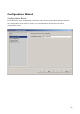
Whichever method used, a configuration wizard will pop up. This wizard will guide you through
the creation of the new configuration. The wizard has four steps:
Configuration name:
Define the name of the configuration group.
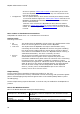
BlipNode Accessibility:
Define settings for remote devices to access a BlipNode.
BlipNode Services:
Definition and configuration of the BlipNode services.