
Installation guide
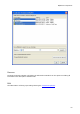




Terminal Properties
43
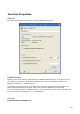
1. Always: The Terminal is always allowed to connect to the BlipServer.
2. Default: Depends on the System default setting in BlipServer Properties -> Bluetooth
Security.
Only if "All Bluetooth Terminals have Access" is enabled, the terminal will be allowed to
connect.
3. Never: A Bluetooth connection can never be established between this terminal and a
BlipNode.
Note1: This policy is applied both when the terminal is establishing the connection and when
connection is being established from the BlipNet API.
Note2: This Policy is independent of the Bluetooth Passkey settings. If a Pairing is needed and
a wrong PIN Code is specified, the transaction will fail.
Passkey:
Gives the possibility to use the Default Bluetooth Passkey specified in BlipServer Properties ->
Bluetooth Security or to specify a Passkey unique for this Terminal.
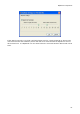
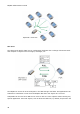
Pair Now
By clicking this button you can Pair the selected Bluetooth Terminal with a BlipNode of your
choice. The Terminal must be Connectable and in range of the BlipNode that you choose to
pair with.