
Installation guide




BlipNet Administrators Guide
40
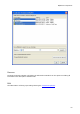
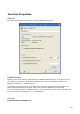
The Zone Name and Zone Comment defines the name of the Zone. A good idea is to specify a
physical location. This makes it easy to determine the locations of connected terminals in the
BlipManager tree view.
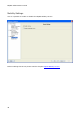
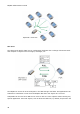
To each zone it is possible to assign a number of BlipNodes. Normally you would only have one
BlipNode in each Zone, but if you have high penetration of Bluetooth devices or the need for
more bandwidth to each device in a Zone you can add extra BlipNodes. The BlipServer will
automatically do load balancing between BlipNodes in a Zone so terminal connections are
equally distributed between the BlipNodes.
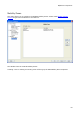
In each Zone one BlipNode must periodically search for terminals. The BlipServer uses this
information to establish links to new terminals just powered on and to find hand over
candidate zones.
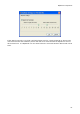
While a BlipNode is searching for terminals the bandwidth to the connected terminals will be
decreased. It is possible to change the search interval for each BlipNode by pressing the edit
button: