
Installation guide





BlipNet Administrators Guide
34
Terminals
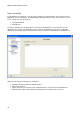
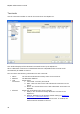
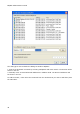
Use the Terminals window to control the terminals on the BlipServer.
This window displays all the Bluetooth terminals known by the BlipServer.
When a Bluetooth connection is established between a BlipNode and a Terminal it will
automatically be added to this list.
The List shows the following information for each Terminal:
Name
The last known Bluetooth Friendly name of the terminal.
Address
The Bluetooth Address
Last
Connected
Shows either
1. Connected: Currently Connected
2. Date: Last time the Device had a Bluetooth Connection to the
Server
3. Never: The Terminal has never had a Bluetooth connection to a
BlipNode
Allowed
Shows the Connection Policy for a Terminal.
1. Always: The Terminal is always allowed to connect to the
BlipServer.
2. Default: Depends on the System default setting in BlipServer
Properties -> Bluetooth Security.
Only if "All Bluetooth Terminals have Access" is enabled, the
terminal will be allowed to connect.