
Installation guide



12
BlipNode Properties
General
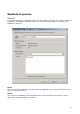
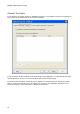
In the General window in BlipNode Properties it is possible to configure the primary settings of
a BlipNode. Additionally, information about the status, Bluetooth address, IP address of a
BlipNode is displayed.
Name
The first text field contains the friendly name of the BlipNode. This is the name shown on the
GUI on a connecting device.
Status
The status of the BlipNode. Status possibilities are; Not Connected, Connected, In use by
application, Software upgrade in progress.