
230 S V2 Manual






13
EN
Gain Parameters
1. Cyclic P Gain Adjustment (Default 100%)
Higher gain will result in greater stability. Setting the gain
too high may result in random twitches if your model
has an excessive level of vibration. High frequency
oscillations may also occur if the gain is set too high.
Lower gain will result in less stability. Too low of a value may
result in a less stable model, particularly outdoors in winds.
If you are located at a higher altitude or in a warmer
climate, higher gains may be benefi cial—the opposite
is true for lower altitude or colder climates.
2. Cyclic I Gain Adjustment (Default 100%)
Higher gain will result in the model remaining still, but
may cause low frequency oscillations if increased too far.
Lower gain will result in the model drifting slowly.
If you are located at a higher altitude or in a warmer
climate, higher gains may be benefi cial—the opposite
is true for lower altitude or colder climates.
3. Cyclic D Gain Adjustment (Default 100%)
Higher gain will improve the response rate of your inputs.
If the gain is raised too much, high frequency oscillations
may occur.
Lower gain will slow down the response to inputs.
4. Cyclic Response (Default 100%)
Higher cyclic response will result in a more aggressive
cyclic response.
Lower cyclic response will result in a less aggressive
cyclic response.
5. Tailrotor P Gain Adjustment (Default 100%)
Higher gain will result in greater stability. Setting the gain
too high may result in random twitches if your model has
an excessive level of vibration. High frequency oscilla-
tions may also occur if the gain is set too high.
Lower gain may result in a decrease in stability. Too low
of a value may result in a less stable model particularly
outdoors in winds.
If you are located at a higher altitude or in a warmer
climate, higher gains may be benefi cial—the opposite
is true for lower altitude or colder climates.
6. Tailrotor I Gain Adjustment (Default 100%)
Higher gain results in the tail remaining still. If the gain is
raised too far, low speed oscillations may occur.
Lower gain will result in the tail drifting in fl ight over time.
If you are located at a higher altitude or in a warmer
climate, higher gains may be benefi cial—the opposite is
true for lower altitude or colder climates.
7. Tailrotor D Gain Adjustment (Default 100%)
Higher gain will improve the response rate to your inputs.
If raised too far, high frequency oscillations may occur.
Lower gain will slow down the response to inputs, but will
not have an effect on stability.
8. Tailrotor Adaptive Filtering
Higher gain will reduce oscillations during high speed
fl ight and when using large amounts of collective.
Lower gain will improve tail performance but may lead
to tail oscillations.
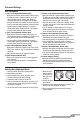
Advanced Settings
Entering Gain Adjustment Mode
1. Lower the throttle stick to the lowest position.
2. Power ON the transmitter.
3. Install the fl ight battery on the helicopter frame,
securing it with the hook and loop strap.
4. Connect the battery connector to the ESC.
5. Place the helicopter on a fl at surface and leave it still
until the orange receiver LED glows solid, indicating
initialization is complete.
6. Set the rate switch on the transmitter to the high rate.
7. Move and hold
both transmitter
sticks to the bot-
tom right corner
as shown.
8. Activate the panic recovery function until the swash
servos move.
9. Release the sticks and deactivate panic recovery. The
model is now in Gain Adjustment Mode.
10. Proceed to Adjusting the Gain Values to make any
desired changes.