
User`s manual






Rev. 1.07
- 11 -
SLP-T40xx/D40xx
3-2 Interface Cable Connection
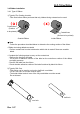
Connect the interface cable as shown below.
This printer supports the following communications interface standards.
- RS-232C (Serial)
- IEEE1284 (Parallel) (exclusively for SLP-T400D,T403D/D400D,D403D)
- USB
- Ethernet (exclusively for SLP-T400E,T403E/D400E,D403E)
1) Turn off the power switch.
2) Connect the communication cable to the printer communication port to be used.
- For a Serial cable, secure by tightening the screws on both sides.
- For a Parallel cable, secure by fastening the clips on both sides.
- Connect USB cable when using USB interface.
- Connect LAN cable when using Ethernet interface.
USB Cable
RS-232 (Serial) Cable
IEEE1284 (Parallel) Cable
or LAN (Ethernet ) Cable