
User manual





9
Biomark Tag Manager™ User Manual
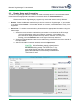
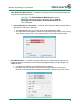
Remove Duplicates - Removes any duplicate tag information from the chart. This option
will only be necessary if the Filter Duplicates While Scan In is not checked.
Open MS Excel - Copies all data currently in the program’s chart into a new MS Excel
spreadsheet.
Newly scanned information will not automatically be updated to the created Excel
worksheet even though it appears in the chart. A new worksheet will need to be
created to display the new information by selecting Open In MS Excel again.
Export To Text File - Copies all data to a text file saved to a location of your choosing.
Newly scanned information will not automatically be updated to the created .txt file
even though it appears in the chart. A new .txt file will need to be created to display
the new information by selecting Export To Text File again.
Clear List - Deletes all information currently in the program’s chart. A verification screen
will appear if this button is selected.