
Operation Manual





12 Capture mode
English
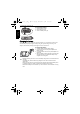
2. Press or to select an EV from the EV bar, and then press to confirm setting.
White Balance
Compensates for color temperatures in different lighting conditions, so white and other
colors can display properly when you capture images.
To select White Balance:
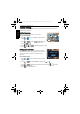
1. Press > White Balance.
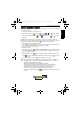
2. Press or to select a white balance option. (When selecting the manual mode, you
must first point the adjustment frame shown on the screen at a blank sheet of white paper
or something similar, and press the Shutter for the camera to detect proper colors.)
3. Press to confirm setting.
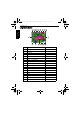
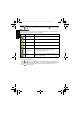
Icon Mode Description
Auto Adjusts white balance automatically.
Daylight Used in bright daylight conditions.
Cloudy Used in twilight or shady conditions.
Tungsten Used when subjects lit by tungsten (incandescent) lighting.
Fluorescent H Adjusts for fluorescent lighting. Corrects the green hue of
fluorescent lighting. Ideal for indoor photos under
fluorescent lighting without a flash.
Fluorescent L
Manual Used when you want to manually adjust white balance in a
particular lighting condition.
W1220_UM - EN.book Page 12 Thursday, December 10, 2009 11:43 AM