
Operation Manual





Capture mode 9
English
More capture options in the Function (Fn) menu
Press the Function button to access more capture options. Depending on your settings,
the displayed option icons in the Function menu may vary.
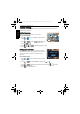
To use the Function menu:
1. Press to enter the Function menu and currently selected setting shows.
2. Press , to go to another option, or press or to select a setting.
3. Press to confirm the setting.
Flash mode
The flash offers an additional light source (usually used in a low-light environment). You
can capture an image using one of the following flash modes.
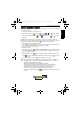
• In the Capture mode, press to toggle among 5 display modes (standard,
complete, none, rule of thirds, and Help Screen).
• Use the rule of thirds display mode to improve your composition by placing subjects on
at least one of the intersections of these 4 imaginary lines.
• Help Screen diagram provides a quick overview to the major functions of camera
buttons.
• While the shutter is pressed halfway, the shutter speed and the aperture are also
shown on the screen (not available in the Movie Record mode).
• While the shutter is pressed down halfway, the AF area color changes to yellow-green,
camera shake warning (appears only if the camera itself detects possible shaking),
aperture, shutter speed and ISO setting are also shown on the screen.
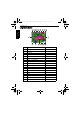
Icon Mode Description
Auto Flash The flash fires automatically based on the photographic
conditions.
My Mode
(the 6 most recent
record modes, in
the order used)
ISO
Exposure Value
(EV)
Effect
Image Quality
White Balance
Metering
Resolution
W1220_UM - EN.book Page 9 Thursday, December 10, 2009 11:43 AM