
User manual





65
Wireless display
Your phone can connect wirelessly to a Miracast-certified television or
monitor that is equipped with a certified Miracast adapter. You can then show
your phone’s screen on the connected device.
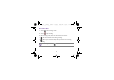
1. Touch Settings > Display > Cast screen > .
2. Select Enable wireless display.
Connect to a network printer
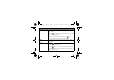
Touch Settings > SYSTEM > Printing.
You can connect your phone wirelessly to a network printer that supports
wireless printing, and then print the content on your phone to the printer.
For more information, read the documentation that comes with the
Miracast-certified device you wish to use with your phone.
BenQ_T3_EN_UM.book Page 65 Thursday, September 4, 2014 5:06 PM