
User manual





30
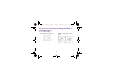
Navigate your Home screens
1. Status bar: Shows notifications on the left,
and system status icons and current time on
the right.
2. Widget: A small app that provides convenient
functions and information on your Home
screen.
3. Home screens: To move between Home
screens, swipe left or right.
4. Folder: Keeps and organizes your apps.
Create folders: Hold and drag an app icon.
Stack the icon on top of another one.
5. New Comer: Your latest installed apps
appear here.
6. Favorites tray: Keeps your favorite apps for
quick access. Swipe left or right to show
additional space and add more apps to the tray.
1
2
4
6
7
8
3
5
BenQ_T3_EN_UM.book Page 30 Thursday, September 4, 2014 5:06 PM