
Operation Manual




26
3 Using the Digital Video Camera
3.1 Recording videos
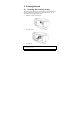
1. Turn on the digital video camera. By default, the device is set to
Video mode. In Camera mode, press the Mode button to switch
to Video mode.
2. Press the Record button to start recording the video. Press it
again to stop recording.
While recording, you can also use the Zoom lever to zoom/in on the
subject.