
Operation Manual




24
2.4 Turning on/off the digital video
camera
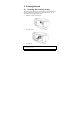
There are two ways to turn on/off the power:
• Open/close the LCD panel.
• Press the Power button.
Note: Before using this digital video camera, be sure to slide the lens cover latch to the
right to open the lens.
2.5 Changing modes
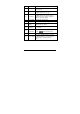
The digital video camera has two recording modes:
• Video mode: Record videos.
• Camera mode: Shoot photos.
Press the Mode button to switch the recording modes. By default, the
digital video camera is set to Video mode.