
Operation Manual


Playback mode 57
English
7. After all settings are complete, press or to select Done and press
.
To r e s e t D P O F :
1. Press to switch to Playback mode.
2. Press > >
DPOF.
3. Press or to enter the submenu.
4. Press or to select
Reset and press to clear all DPOF settings.
Copy
Copies files between internal memory and memory card.
To copy the selected files:
1. Press to switch to Playback mode.
2. Press > >
Copy.
3. Press or to enter the submenu.
4. Choose the copy method, and press or to continue.
•
Copy to Card: copy all files stored in camera into the memory card.
• Copy to Camera: copy all files stored in the memory card into the
camera’s internal memory.
5. Press or to
Selected Images and press to select the files that
you want to copy.
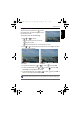
The images are displayed in thumbnail view.
6. Press or to select the files and press or to mark for copying,
and press .
7. A confirmation message appears on the screen. Press or to select
Yes and press to start copying the file.
This feature is only available if an unlocked memory card is inserted into the camera.
To view the selected file in full screen display, slide the Zoom lever to . To
switch back to thumbnail display, slide the Zoom lever to .
OK
OK
OK
OK
OK
OK
OK
OK
GH700 UM - EN.book Page 57 Wednesday, November 9, 2011 1:53 PM