
Operation Manual


Playback mode 55
English
5. A confirmation message appears on the screen. Press or to select
Yes to confirm files protection.
Voice memo
Inserts a voice annotation to an image file.
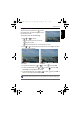
To record a voice memo:
1. Press to switch to Playback mode.
2. Press or to select the image you want to add a voice memo.
3. Press > > Voice Memo.
4. Press or to enter the submenu.
5. Press or to select
Start and press to start voice recording.
During audio recording, select Stop and press to stop recording.
To play back a voice memo:
1. Press to play the voice memo.
2. Press to pause the playback. Press again to resume the playback.
3. Press to stop the playback.
Resizing
Changes an image file to a smaller size, and overwrites the image file or saves it
as another new file.
To resize an image:
1. Press to switch to Playback mode.
2. Press or to select the image you want to resize.
3. Press > >
Resize.
4. Press or to enter the submenu.
You can remove the protection anytime by following the same procedure as shown
above. Note that in Step 4 select Unlock All to unlock all files.
• The maximum audio recording time is 30 seconds.
• An icon appears on the file that is attached with voice memo.
OK
OK
OK
OK
OK
GH700 UM - EN.book Page 55 Wednesday, November 9, 2011 1:53 PM