
Operation Manual






Playback mode 49
English
Options for playback and editing
When the camera is in Playback mode, press or to view the next/
previous recorded files. You can also select any of the following options.
Enlarging an image
Magnifies an image, so more details can be seen.
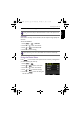
To enlarge an image:
1. Press to switch to Playback mode.
2. Press or to select the image you want to enlarge.
3. Slide the
Zoom lever to to zoom-in on a captured image.
In Zoom mode, use the Zoom lever to adjust the zoom ratio.
4. Press , , , or to move to the area you want to view.
Trimming
Crops part of an image file and saves it as another new file.
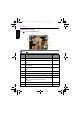
To t r i m a n i m a g e :
1. Press to switch to Playback mode.
2. Press or to select the image you want to enlarge.
3. Slide the
Zoom lever to to zoom-in on a captured image.
In Zoom mode, use the Zoom lever to adjust the zoom ratio.
4. Press , , , or to locate the area you want to trim.
5. Press to trim the enlarged view.
6. Press or to select Yes and press to confirm and save the image
file.
The trimmed photos cannot be trimmed again.
OK
GH700 UM - EN.book Page 49 Wednesday, November 9, 2011 1:53 PM