
Operation Manual







46 Other settings
English
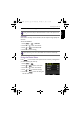
TV Settings TV Out Switch the video output according to
different regional standards. Available
settings: NTSC (for America, Japan,
Taiwan, and others) and PAL (for China,
Europe, Oceania, and others).
HDMI Set an image resolution for HDMI
output. The available settings vary
depending on the TV Out setting.
• If the TV Out is set to NTSC, the
available HDMI settings: Auto / 480p /
720p / 1080i / 1080p.
• If the TV Out is set to PAL, the
available HDMI settings: Auto / 576p /
720p / 1080i / 1080p.
TV Out should be set to either NTSC or PAL depending on
your region. For details about which system should be used,
check with your local authorities.
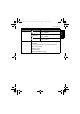
LCD Brightness
[Auto]
The LCD brightness is automatically set
based on the surrounding environment.
[Bright] The LCD brightness is increased.
[Normal]
The LCD brightness remains at the
default value.
Startup Image
[On]
Activate the system startup image when
you turn on the camera.
[Off]
Disable the startup image function.
Format Formats the internal memory or the memory card.
Icon Mode Description
GH700 UM - EN.book Page 46 Wednesday, November 9, 2011 1:53 PM