
Operation Manual







44 Operating the camera
English
Movie Mode
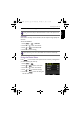
To select a movie size:
1. Press > > Movie Mode.
2. Press or to enter the submenu.
3. Press or to select a setting.
4. Press to confirm setting.
AF Mode
Use this feature to control the auto focus method in recording videos.
To set the AF mode:
1. Press > > AF Mode.
2. Press or to enter the submenu.
3. Press or to select
Single AF or Full-time AP.
4. Press to confirm setting.
Wind Cut
Use this feature to reduce wind noise during video recording.
To enable Wind Cut:
1. Press > > Wind Cut.
2. Press or to enter the submenu.
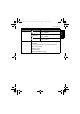
Icon Description Icon Description
Full HD 1080p (60 fps) VGAp (30 fps)
Full HD 1080p (30 fps) QVGAp (120 fps)
HD 720p (60 fps) QVGAp (240 fps)
HD 720p (30 fps) -- --
The Full HD and HD options are only available when an SDHC Class 4 or Class 6
card is inserted into the camera.
OK
OK
OK
OK
OK
GH700 UM - EN.book Page 44 Wednesday, November 9, 2011 1:53 PM