
Operation Manual







Operating the camera 43
English
4. Press to confirm setting.
Stabilizer
Reduces blur caused by camera vibration, and thus improves image quality and
clearness.
To set the Stabilizer:
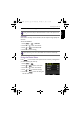
1. Press > > Stabilizer.
2. Press or to enter the submenu.
3. Press or to select
On or Off.
4. Press to confirm setting.
Using the Movie Menu
Press to access Movie menu options. Set the necessary settings before
you start recording the video clip.
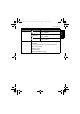
1. Press > .
2. Press or to select a menu item.
3. Press or to enter the submenu.
4. Press or to select the settings.
5. Press > to save the setting and
exit the menu mode.
During auto review, half press the Shutter button to return to the capture mode.
When the battery power is low, the Stabilizer will be turned off automatically.
OK
OK
OK
OK
OK
GH700 UM - EN.book Page 43 Wednesday, November 9, 2011 1:53 PM