
Operation Manual






42 Operating the camera
English
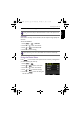
AF Lamp
This feature allows you to add extra light when the lighting is insufficient while
capturing images.
To enable the AF Lamp:
1. Press > > AF Lamp.
2. Press or to enter the submenu.
3. Press or to select
Auto.
4. Press to confirm setting.
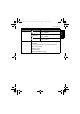
Digital Zoom
The digital zoom enlarges or shrinks the image using a software process.
To enable the digital zoom:
1. Press > > Digital Zoom.
2. Press or to enter the submenu.
3. Press or to select
On.
4. Press to confirm setting.
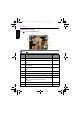
Date Stamp
Imprints the date when a picture was taken on the picture itself.
To set the date stamp:
1. Press > >
Date Stamp.
2. Press or to enter the submenu.
3. Press or to select
Date, Date & Time, or Off.
4. Press to confirm setting.
Auto Review
This feature displays a preview of the still image for 1 second right after
capturing it.
To set the Auto Review:
1. Press > >
Auto Review.
2. Press or to enter the submenu.
3. Press or to select
On or Off.
OK
OK
OK
OK
OK
OK
OK
GH700 UM - EN.book Page 42 Wednesday, November 9, 2011 1:53 PM