
- Benq User's Manual Monitor FP231W

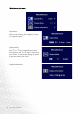


Table Of Contents
- Copyright
- Disclaimer
- Please follow these safety instructions for best performance, and long life for your m...
- Table of Contents
- Getting started
- Getting to know your Monitor
- How to install your monitor hardware
- Getting the most from your BenQ monitor
- How to adjust the screen resolution
- HHow to adjust the screen refresh rate
- How to set the picture optimization
- How to adjust your Monitor
- Troubleshooting
- Supported operating modes
- Specifications
32 How to adjust your Monitor
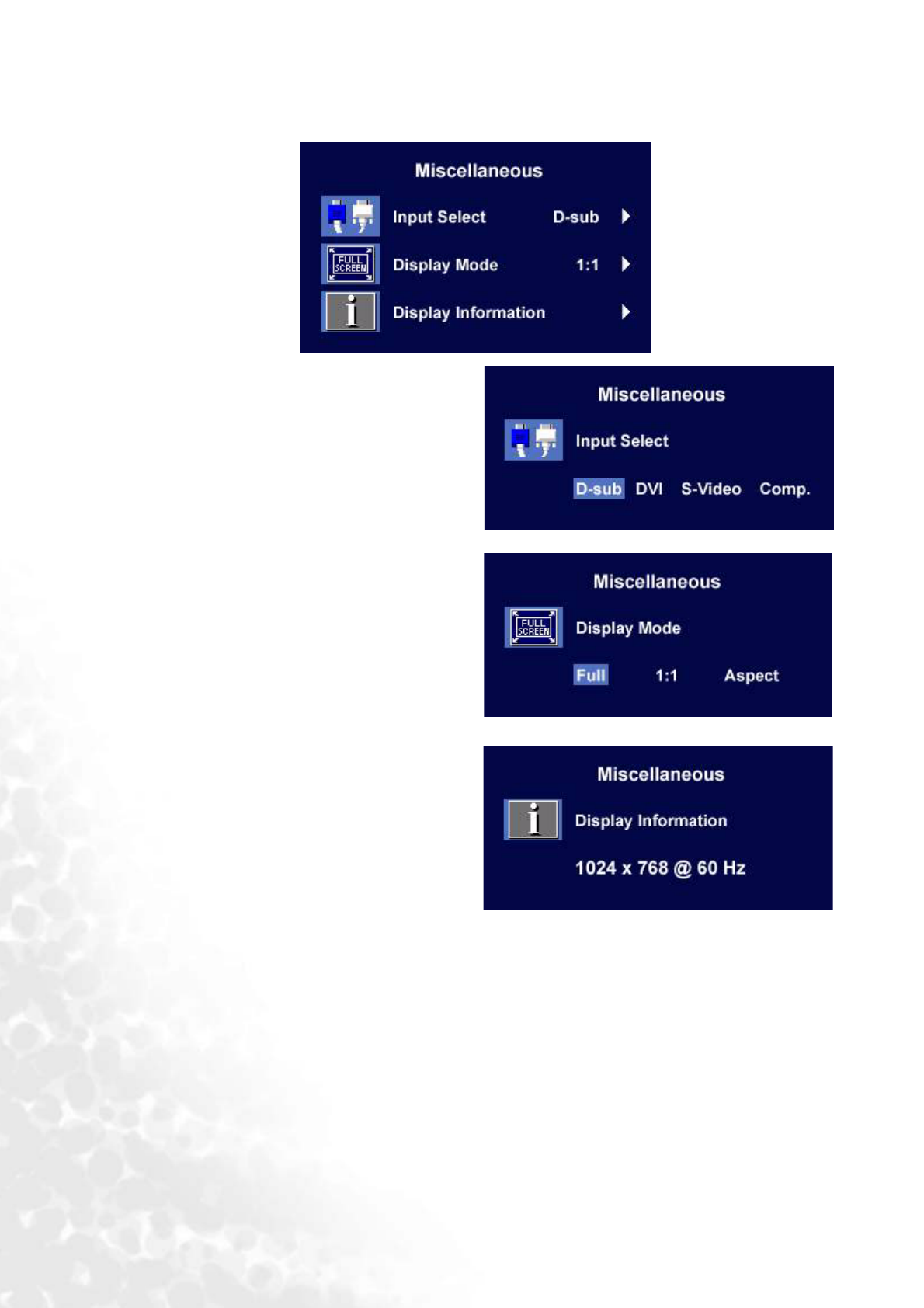
Miscellaneous sub menu
Input Select:
Select D-sub (analog), DVI (digital), S-Video,
or Composite input.
Display Mode:
Press t or u key to toggle between these
three options: Full, 1:1, or Aspect. When done,
press "Enter" to activate the settings. To return
to previous menu, press "Exit."
Display Information.