
- Benq User's Manual Monitor FP231W
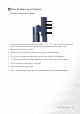
Table Of Contents
- Copyright
- Disclaimer
- Please follow these safety instructions for best performance, and long life for your m...
- Table of Contents
- Getting started
- Getting to know your Monitor
- How to install your monitor hardware
- Getting the most from your BenQ monitor
- How to adjust the screen resolution
- HHow to adjust the screen refresh rate
- How to set the picture optimization
- How to adjust your Monitor
- Troubleshooting
- Supported operating modes
- Specifications
23 How to adjust your Monitor
How to adjust your Monitor
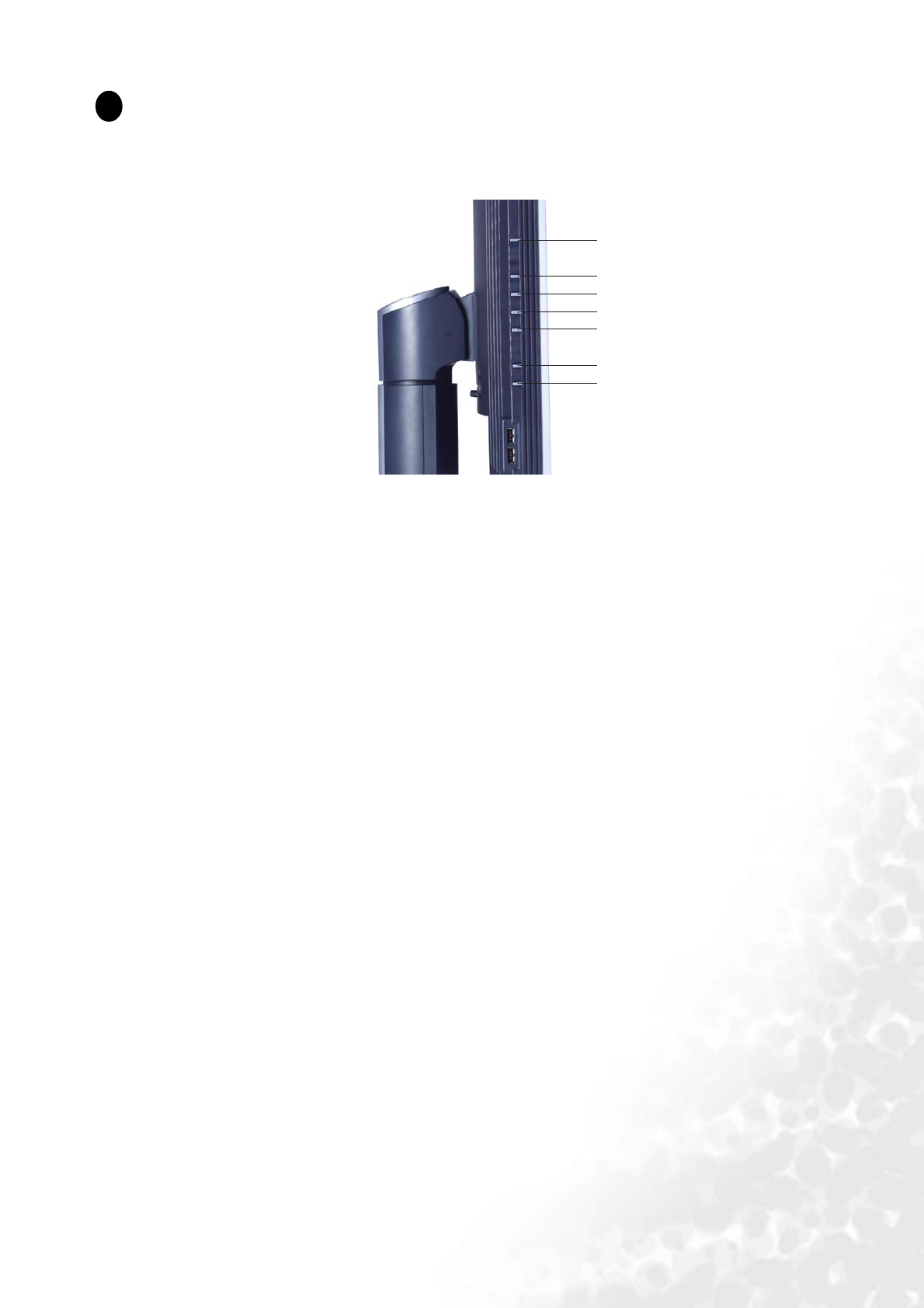
A Look at the Control Panel
There are 7 keys for user’s control including “Enter”, “t” , “u”, “Exit”, "Input" and “
iKey
” and
a power switch. The following descriptions are the introduction of these keys & switch.
1. “Power”: Turn the power on or off.
2. “Enter” key: Activate OSD, enter sub menu, select items, confirm selection.
3. t (Up) key: For Up/Increase adjustment. The key is also the hot key for Brightness.
4. u (Down) key: For Down/Decrease adjustment. The key is also the hot key for Contrast.
5. “Exit” key: Back to previous menu or exit OSD.
6. "Input" key: Switch the input signal.
7. “
iKey
” : Adjust vertical position, phase, horizontal position and pixel clock automatically.
8
1
2
3
4
5
6
7