
- Benq User's Manual Monitor FP231W

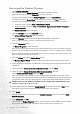

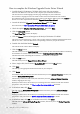
Table Of Contents
- Copyright
- Disclaimer
- Please follow these safety instructions for best performance, and long life for your m...
- Table of Contents
- Getting started
- Getting to know your Monitor
- How to install your monitor hardware
- Getting the most from your BenQ monitor
- How to adjust the screen resolution
- HHow to adjust the screen refresh rate
- How to set the picture optimization
- How to adjust your Monitor
- Troubleshooting
- Supported operating modes
- Specifications

19 Getting the most from your BenQ monitor
Should you wish to do so, this is where you can change the screen resolution (area and color).
See How to adjust the screen resolution for details.
14. Click OK.
This will close the Display Properties window, and if you made any changes to the screen resolution,
Windows 2000 will prompt you for confirmation to effect the changes, and further confirmation to
accept the changes. Click OK and Ye s respectively.
Alternatively, Windows ME or 98 will ask you if want to make the changes and reboot or not reboot.
You should select the reboot option as this causes Windows to load the new drivers when it next
restarts.