
Operation Manual





38 Playback mode
English
Active Display
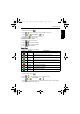
When Active Display is on and the camera is in the playback mode, you can shake the
camera clockwise (when the camera is held horizontally) to move to the previous file. To
move to the next file, just shake the camera counterclockwise (when the camera is held
horizontally).
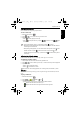
To enable/disable Active Display:
1. Slide the mode switch to .
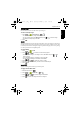
2. Press > > Active Display > or .
3. Select On to enable Active Display or Off to disable Active Display.
4. Press .
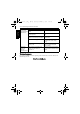
Clockwise: move from the current file (No. 3)
to the previous file (No. 2).
Counterclockwise: move from the current file
(No. 3) to the next file (No. 4).
E1460_UM - EN.book Page 38 Thursday, September 23, 2010 6:43 PM