
Operation Manual




26 Capture mode
English
Web Auction
Combines maximum 4 shots into one single image at the VGA (640 x 480) size, so it can be
quickly used in situations such as Internet auctions.
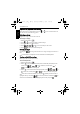
1. Press > > Shooting Mode and select Web Auction.
2. Press or to move to the number of shots you want to take, and then press .
3. Press the shutter to take one picture.
4. If you are satisfied with the this picture, press to take the next one. (If you want to re-
take the previous picture, press and repeat Step 3.)
5. Once you have finished taking all pictures, the camera will automatically combine these
images into one.
Before After
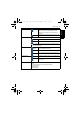
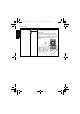
Icon Mode Description
1 shot Takes one picture only.
2 shots Takes two pictures based on the numeric order shown below:
3 shots Takes three pictures based on the numeric order shown below:
4 shots Takes four pictures based on the numeric order shown below:
E1460_UM - EN.book Page 26 Thursday, September 23, 2010 6:43 PM