
Operation Manual




Capture mode 25
English
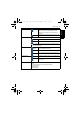
3. The camera continues to detect faces and take more pictures by repeating Step 2. This
face tracking will automatically stop if no faces are detected.
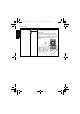
Pre-composition
Captures the background first for positioning the final image. Ideal for asking others to take
your photo.
1. Press > > Shooting Mode and select Pre-composition.
2. Press the shutter to capture the background. The bottom section of the screen displays the
captured background image in a semi-transparent region.
3. Use the captured background image to frame the composition, and press the shutter to
capture the final image.
Smile Catch
Captures an image when the subject smiles.
1. Press > > Shooting Mode and select Smile Catch.
2. The camera is tracking the face of your subject (a white frame shows).
3. Once a smile is detected, the camera instantly takes a picture.
4. The camera continues to detect smiles and takes more pictures (Step 3 is repeated).
Face tracking (one face only) is always on in the Smile Catch mode.
LOMO
Creates a lomo-like effect by adding over saturated colors, dark corners, and so on.
1. Press > > Shooting Mode and select LOMO.
2. Take a picture. (The LOMO effect will be applied to this picture immediately.)
When the LOMO effect is applied, color shift (changes in colors) might occur.
Fisheye
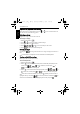
Simulates a fisheye lens effect and creates a distorted hemisphere-like image.
1. Press > > Shooting Mode and select Fisheye.
2. Take a picture. (The Fisheye effect will be applied to this picture immediately.)
Before After
E1460_UM - EN.book Page 25 Thursday, September 23, 2010 6:43 PM