
Operation Manual




Capture mode 13
English
To select an image quality level:
1. Press > > Quality.
2. Press or .
3. Press or to select a setting.
4. Press to confirm setting.
5. Press .
AF Area
To select an automatic focus area:
1. Press > > AF Area.
2. Press or .
3. Press or to select a setting.
4. Press to confirm setting.
5. Press .
To use Selected Area as the automatic focus area in the Program mode:
1. Press >
2. Press > > AF Area.
3. Press or .
4. Press or , and then select .
5. Press to confirm setting.
6. Press .
7. Press and the 4-way control to choose a selected area from 9 available points.
8. Press to confirm setting.
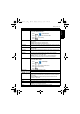
Icon Mode Description
Multi Focuses on a wide range of multiple objects.
Center Focuses on the center area of the objects.
Selected Area (available in
the Program mode only)
Focuses on the region you selected.
E1240_UM - EN.book Page 13 Monday, January 25, 2010 9:06 AM