
Operation Manual




Playback mode 19
English
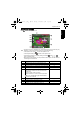
Playback mode
Press to enter the Playback mode.
• The above screen is for illustrations only. Actual items showing on the screen may vary
depending on the file type and the settings you chose while capturing.
• In the Capture mode, press to enter the Playback mode.
• In the Playback mode, press to switch to the Capture mode.
• (Used when the camera is off) While pressing and holding , press to
enter the playback mode.
• While pausing video playback, you can press the shutter to capture the video frame as
a still image in the VGA format.
Item Description Page reference
1 Indicates that the camera is in the Playback mode. --
2 Indicates this file has a voice memo. --
3 Indicates that the file is protected and cannot be deleted. 21
4 Indicates the file is marked for printing. --
5 Displays the following information and controls:
• the shooting conditions such as scene mode and
image size.
• Lets you rotate or add voice memo.
• Shows whether it is a video file and the play button.
You can press to toggle between different
information and controls.
--
6 Date and time when the file was created. --
7 Current file number / total number of files --
8 Histogram --
9 File name, file size, shutter speed, and F. No. --
2008/08/06
2008/08/06
2008/08/06 17:48:44
17:48:44
17:48:44 24/131
24/131
24/131
P
IMGOO24.JPG
IMGOO24.JPG
2.37 MB
2.37 MB
1/40 F2.9
1/40 F2.9
IMGOO24.JPG
2.37 MB
1/40 F2.9
E1020_UM - EN.book Page 19 Tuesday, November 18, 2008 6:32 PM