
Operation Manual




16 Capture mode
English
4. Press to confirm setting.
5. Press .
Metering
To select an AE metering option:
1. Press > > Metering.
2. Press or .
3. Press or to select a setting.
4. Press to confirm setting.
5. Press .
Effect
Adds color filter effects to the image or video you want to capture.
To select an effect:
1. Press > > Effect.
2. Press or .
3. Press or to select a setting.
4. Press to confirm setting.
5. Press .
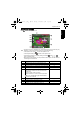
Icon Mode Description
Matrix Detects the exposure based on multiple points in
the subject area.
Spot Detects the exposure based on the center spot in
the subject area.
Average Detects the exposure based on the average
reading in the subject area.
Icon Mode Description
Vivid Adds an effect with very clear and bright color tones.
Normal No effects are added.
Black and White (B&W) Adds an effect with monochromatic color tones.
Sepia Adds an effect with dark reddish brown color tones, so
the image or video looks as if it is old.
E1020_UM - EN.book Page 16 Tuesday, November 18, 2008 6:32 PM