
Operation Manual




Capture mode 15
English
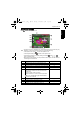
White Balance
Compensates for color temperatures in different lighting conditions, so white and other
colors can display properly when you capture images.
To select white balance:
1. Press > > White Balance.
2. Press or .
3. Press or to select a setting.
4. Press to confirm setting.
5. Press .
ISO
ISO configures the camera’s sensitivity to light. The higher the ISO value, the brighter
picture you can take in a low-light environment. Yet, you may see more noise in the picture
as you increase the ISO value.
To select an ISO value:
1. Press > > ISO.
2. Press or .
3. Press or to select a setting.
Icon Mode Description
Auto Adjusts white balance automatically.
Daylight Used in bright daylight conditions.
Tungsten Used when subjects lit by tungsten (incandescent) lighting.
Fluorescent Adjusts for fluorescent lighting. Corrects the green hue of
fluorescent lighting. Ideal for indoor photos under
fluorescent lighting without a flash.
Cloudy Used in twilight or shady conditions.
Icon Description
Automatically sets the ISO value.
Equivalent to color ISO 80/100/200 film. Used for outdoor
photography in bright sunlight.
Equivalent to color ISO 400/800/1600 film. Used it in a low-light
environment or where the flash light is not allowed.
E1020_UM - EN.book Page 15 Tuesday, November 18, 2008 6:32 PM