
Operation Manual




14 Capture mode
English
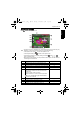
Face Tracking
While Face Tracking is on, point the camera to where the people (your subjects) are located.
Focus frames of face tracking will automatically detect faces (maximum 10) and show on
the LCD screen. Then press the shutter to capture the image.
To turn on/off Face Tracking:
1. Press > > Face Tracking.
2. Press or .
3. Press or to select a setting.
4. Press to confirm setting.
5. Press .
EV Compensation
Lightens or darkens the entire image. Adjust EV when the brightness between the subject
and the background is not balanced, or when the subject occupies only a small part of the
picture.
To select an EV:
1. Press > > EV Compensation.
2. Press or .
3. Press or to select a setting.
4. Press to confirm setting.
5. Press .
Auto Exposure Bracketing (AEB)
The AEB function automatically takes 3 pictures with slightly different settings in the
shutter speed or the aperture value.
To turn on AEB:
1. Go to the Capture mode.
2. Press > > AEB.
3. Press > / to select On.
4. Press > / to select an AEB bracket value.
5. Press .
6. Press .
• Due to environmental factors such as lighting, the number of detected faces might be
different from that of the actual faces.
• To achieve the best result, ask your subjects not to turn their faces partially away from
the lens.
E1020_UM - EN.book Page 14 Tuesday, November 18, 2008 6:32 PM