
Operation Manual




8 Operating the camera
English
For some scene modes like Auto, options ISO, Metering, and White Balance are not
available. You must select another mode like Program to enable these options.
To select a scene mode:
1. Press > , , , or to locate a desired scene mode.
2. Press .
(For Aperture/Shutter Priority only) Press > / to select an aperture value or
shutter speed, and then press .
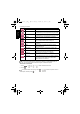
Snow Used under a very bright light environment such as snow
scenes.
Fireworks Adds exposure time to shoot firework trails. Please keep
the camera steady or use a tripod while using this mode.
Night Portrait Shoots night scenes and portraits clearly. Please keep
the camera steady or use a tripod while using this mode.
Sunset Captures the warmth and atmosphere of sunrise or
sunset.
Museum Used when taking a picture of subjects in a place where
flash is usually prohibited. Flash is always off.
Party Captures the party atmosphere usually under indoor
light source.
Text Improves clarity & contrast when taking a close-up
picture of documents.
Kids & Pets Increases sensitivity and emphasizes children's skin
tones or shows pets’ correct fur colors.
Foliage Takes a clear and vivid picture of plant leaves by
emphasizing their saturation and sharpness.
Aquarium Takes a picture of the subject in an aquarium.
Voice Rec. Captures background sound only (no images or videos).
When listening to the captured audio file later, you can
see a unique icon that appears on the screen and
indicates that this is an audio file.
E1020_UM - EN.book Page 8 Tuesday, November 18, 2008 6:32 PM