
Operation Manual




Operating the camera 7
English
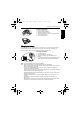
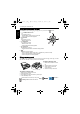
Battery status
Scene mode
Select one of the following scene modes to fit your shooting condition.
Icon Description
Battery power is full.
Battery power remains adequate.
Battery power is low.
Battery power is very low. You should replace the battery ASAP.
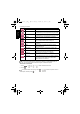
Icon Mode Description
Auto The camera automatically decides most settings, so you
can capture images with ease.
Program You can set the shooting parameters manually.
Aperture Priority You can choose an aperture value, while the shutter
speed is automatically determined by the lighting
condition of the subject.
Shutter Priority You can choose a shutter speed, while the aperture
value is automatically determined by the lighting
condition of the subject.
Movie Record Captures videos with sound. When viewing the captured
video file later, you can see a unique icon that appears
on the screen and indicates that this is a video file.
Smile Catch Automatically takes a shot when a smile is detected.
Portrait Makes the subject (usually a person) stand out with
smooth and natural-looking skin tones.
Landscape Captures a scene in the distance with the focus area set
to infinity and a lower aperture value. The maximum
depth of view can be also achieved.
Sport Uses a high shutter speed to capture objects in motion.
Backlight Increases exposure (by turning on the flash) when light
illuminates the subject from behind.
Night Scene Captures photos in a low-light environment, such as in
the evening or at night.
Beach Captures photos in a brightly lit environment, such as
beaches.
E1020_UM - EN.book Page 7 Tuesday, November 18, 2008 6:32 PM