
Operation Manual




6 Operating the camera
English
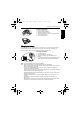
If the focus frame color turns to red instead of yellow-green, then the automatic focus is
not completed. This situation can happen for many reasons (for example, the subject is too
dark). If you encounter this situation, release the shutter and see if you can find a better
shooting environment. Then, try Step 5 again.
6. Press the shutter down fully to capture.
7. Release the shutter.
8. In the Movie Record mode, press the shutter to stop video recording.
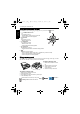
9. Press to view captured images or recorded
videos, and then press , or to move to
different images/videos. You can also press or
to zoom-in/out a captured image, or press
to view 9 images on the screen.
Digital Zoom
This feature controls the digital zoom mode.
To select a digital zoom:
1. Press > > Digital Zoom.
2. Press > or to select On or Off.
3. Press >
• During zoom-in/out, there is a separator in the zoom bar between and . For
best image quality, it is recommended to use optical zoom only by keeping the
magnification within and the separator.
• Anytime in the Playback mode, you can press to switch to the Capture mode.
• At any time, you can press to turn off the camera.
• In Capture or Playback mode, press to decide what information to show on the
screen.
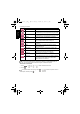
Icon Mode Description
Digital Zoom Turns on the digital zoom feature.
OFF Turns off the digital zoom feature.
Optical Zoom
Digital Zoom
E1020_UM - EN.book Page 6 Tuesday, November 18, 2008 6:32 PM