
Operation Manual
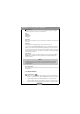


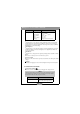

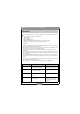


Table Of Contents

Benq DC 2110 User’s Manual
10
3.1.3. Video Mode
Video Mode ( )
This mode is used to capture videos.
Video Mode Menu
Set the Mode Dial at Video Mode ( ). Use the Right & Left Direction Button to
change the setting. And after that please press MENU/ENTER Button to confirm
the setting.
Recording Time
This feature is to set up the recording time. There are 4 recording times to choose
which are 5. 10. 15 or 20 seconds.
3.1.4. Setup Mode
Setup Mode ( )
This mode is to set up the following items:
--Date/Time
--LCD Brightness
--Video Mode
--Beep
--Reset To Default
--Language
Setup Mode Menu
Set the Mode Dial at Set Up Mode ( ) and press the MENU/ENTER Button. Use
the Up and Down Direction Button to choose the item you would like to make
change and use the Right & Left Direction Button to change the setting. And after
that please press MENU/ENTER Button to confirm the setting.
Mode Description Item
Video Mode
Recording Time 5 10 15 20