
Operation Manual





Working with computer and AV system 19
English
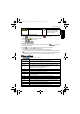
Voice memo
Inserts a voice annotation to an image file.
To add a voice memo:
1. Press > or to move to the image you want to add a voice memo.
2. Press > to start recording your voice.
3. Press to stop recording.
You can also press > > Voice Memo > or to add a voice memo.
Then you can press to play the voice memo.
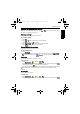
Startup screen
Sets the welcome image when the camera is powering on.
To select a startup image:
1. Press > > Startup Image > or .
2. Press or to select an image.
3. Press .
Working with computer and AV system
Bundled software
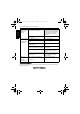
The camera offers the following programs on a CD.
To install these programs, see the information supplied with the CD.
Connecting the camera to a computer
You can connect the camera to a PC or notebook to transfer, view,
print, or edit files.
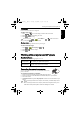
To connect the camera to a computer:
1. Connect the end of the smaller plug of the USB cable to the camera.
2. Connect the other end of the USB cable to an available USB port on your computer.
3. Turn on the camera.
4. A Removable Disk icon appears in My Computer. Click this icon to access the files in your
camera.
ArcSoft
PhotoImpression 5
Combines photo editing with creative enhancement and sharing tools
that maximize your digital media experience.
ArcSoft
VideoImpression 2
Creates multimedia presentations by combining photos and video
clips with audio, text and scene transitions.
• When connecting the camera to a computer, it is necessary to install a battery into the
camera.
• When connecting the camera to a computer, please use the original accessory of the
USB cable to avoid possible system conflicts and damage to the camera.
X735 UM.book Page 19 Tuesday, September 4, 2007 4:16 PM