
Operation Manual




BenQ DC 5530 User’s Manual
English
Using the DC E43
16
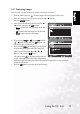
3.6.1.3 Sharpness
The sharpness option sets the sharpness of the image that will be photographed.
• Hard: Hard touch
• Normal: Normal touch
• Soft: Soft touch
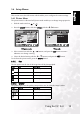
3.6.1.4 Contrast
The contrast menu sets the difference between the bright and dark portions of the image that
will be photographed.
• Hard: Increases the contrast.
• Normal: Sets the contrast automatically.
• Soft: Decreases the contrast.
3.6.1.5 Color
This sets the color of the image that will be photographed.
• Standard: Standard color
• Vivid: Bright color
• Sepia: Sepia tones
• Monochrome: Black-and-white
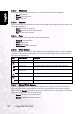
3.6.1.6 White Balance
The white balance menu sets the white balance for photographing under a variety of lighting
conditions. This permits photographs to be taken that closely approach the conditions that
are seen by the human eye.
3.6.1.7 Manual White Balance
This menu manually sets the white balance and saves the setting. Use of this is convenient
when the white balance menu options do not offer a good match to the actual conditions.
Before selecting Execute, focus the camera on the subject (such as a white paper under bright
light) that will be used to set the white balance.
• Cancel: Disable manual white balance.
• Execute: Enable manual white balance.
Icon White Balance Description
Blank Auto Automatic adjustment
Incandescent Photography under incandescent lighting
Fluorescent 1 Photography under a white fluorescent tube with a bluish tint
Fluorescent 2
Photography under a white fluorescent tube with a reddish tint
Day Light Outdoor photography
Cloudy Photography under a cloudy sky
Manual Photography with a Manual WB
1
2