
Operation Manual




BenQ DC 5530 User’s Manual
English
Using the DC E43
15
3.6 Setup Menus
This section covers the OSD menus which enables you to configure the camera settings.
3.6.1 Picture Menu
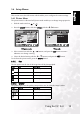
The picture menu in video and still picture mode enables you to change image properties.
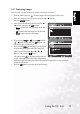
1. Slide the mode switch to or .
2. Press the MENU button, and select Picture with the / buttons.
3. Select a menu item with the / buttons, and press the SET button to enter a
submenu or to change a setting.
4. Select the desired setting with the / buttons, and press the SET button.
To exit from the picture menu, press the MENU button.
3.6.1.1 Size
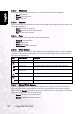
The size option sets the size of the image that will be photographed.
3.6.1.2 Quality
The quality option sets the quality (compression rate) at which the image is taken.
Still picture mode Video mode
Icon Size Description
2272 x 1704 2272 x 1704 pixels (4M)
1600 x 1200 1600x 1200 pixels (2M)
1280 x 960 1280 x 960 pixels (1M)
640 x 480 640 x 480 pixels (VGA)
Icon Quality Description
Fine High compression rate
Standard Normal
Economy Low compression rate
Adjust
Adjust
Adjust
Fine
Normal
Standard