
Operation Manual




BenQ DC 5530 User’s Manual
English
Using the DC E43
8
3.2.1.2 Changing the Flash
Use the flash for taking photographs when there is insufficient light. The flash firing mode
can be set to suit the photographic conditions.
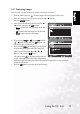
1. Slide the mode switch to .
2. Toggle the button to select the desired flash mode.
Each press of the button selects a flash mode and displays it on the screen.
3.2.1.3 Changing the Exposure Value/Backlight Correction
Photographs can be taken with the overall screen intentionally made brighter or darker.
Exposure can be set in steps of 0.3 EV units and the setting range of the exposure
compensation is: -2.0 to +2.0. The larger the value, the brighter the image.
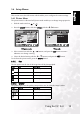
1. Slide the mode switch to and press the button to toggle between
Backlight Correction, and Exposure Compensation.
2. Increase or decrease the exposure value with the / buttons.
3.2.1.4 Setting the Self-Timer
This setting enables photographs to be taken with the self-timer (10 sec., 2 sec., 10+2 sec.)
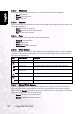
1. Slide the mode switch to or .
2. Toggle the button to select the setting.
Each press of the button selects one of the self-timer options and displays it on the screen.
3. Compose the picture, press the shutter button down halfway, then press it down fully. The
self-timer LED flashes and the photograph is taken after the preset time has elapsed. The
countdown is displayed on the LCD monitor. To cancel the self-timer at any time, press
the SET button.
Icon Flash mode Description
Blank Auto The flash fires automatically to suit the photographic conditions.
Red-eye reduction Reduces the red-eye phenomenon when you want to take natural
looking photographs of people and animals in low-light conditions.
Forced flash The flash always fires.
Suppressed flash The flash does not fire.
Night scene Use this mode when taking pictures of people in the dark or at
night. When the Night Scene is selected, the flash mode is fixed to
Slow Synchronization. (the flash is fired at a slower shutter speed.)