
User's Manual



BenQ DC 5530 User’s Manual
Using the DC C60
19
English
Interval/Count
The camera provides interval image capturing based
on this setting.
This mode is available in the self-timer photography.
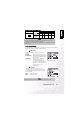
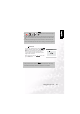
By selecting Interval/Count and press the SET
button,the Interval/Count mode is displayed.
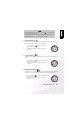
Press the or button to change the interval time.
[1 Min.]: Recording interval is 1 minute
[3 Min.]: Recording interval is 3 minutes
[10 Min.]: Recording interval is 10 minutes.
[60 Min.]: Recording interval is 60 minutes.
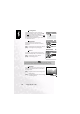
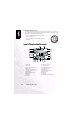
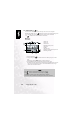
Select count by pressing the or button. You can
set the counts you want to take pictures by pressing
the or button. To cancel Interval/Count while
this function is activated, press the power button to
turn off or toggle the mode dial.
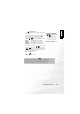
[2]: 2 shots can be taken
[99]: 99 shots can be taken
Note
•
The number of photographs that can be taken will differ depending on the
capacity of the memory, the image settings, and other factors.
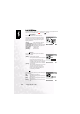
• During the interval between one photograph and another, the viewfinder LED
flashes red and the camera power is automatically turned off.