
User's Manual


BenQ DC 5530 User’s Manual
Using the DC C60
16
English
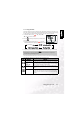
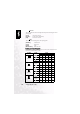
Possible number of shots (Still picture)
The table shows the approximate shots that you can take at each setting based on an
optional SD card from 32MB to 512MB.
Image Size Quality SD card
32MB 64MB 128MB 256MB 512MB
(6M)
2816 x 2112
(Fine)
11 22 45 91 183
(Standard)
18 38 77 154 311
(Economy)
34 70 142 283 571
TIFF 2 5 10 21 43
(4M)
2272 x 1704
(Fine)
18 37 76 151 305
(Standard)
30 61 124 247 498
(Economy)
59 121 244 487 981
(2M)
1600 x 1200
(Fine)
37 76 153 306 616
(Standard)
59 121 244 487 981
(Economy)
118 242 489 975 1963
(VGA)
640 x 480
(Fine)
145 298 602 1200 2417
(Standard)
210 430 870 1734 3491
(Economy)
379 775 1566 3121 6284
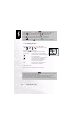
Contrast
This sets the difference between the bright and dark portions of the image that will be
photographed.
[Hard]: Increases the contrast.
[Normal] : Set the contrast automatically.
[Soft]: Decreases the contrast.
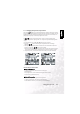
Color
This sets the color of the image that will be photographed.
[Standard]: Standard color
[Vivid] : Bright color
[Sepia]: Sepia
[Monochrome]: Black-and-white