
User Manual


5
Broadcasting on the Preset Radio Stations
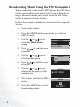
1. Turn on the Joybee.
2. Press the MODE button repeatedly to switch to
SETUP mode.
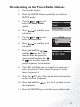
3. Use the or keys to
select the Music Share
option.
4. Press to confirm your
selection.
5. Use the or keys to
select the On option.
6. Press to confirm your
selection.
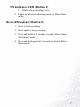
7. Press and hold the
and the keys for 2 sec-
onds to enter the preset fre-
quency mode and use the
or keys to select a specific
preset frequency for broadcast.
8. The LED will light once to signal it is on preset 1,
twice for preset 2, three times for preset 3 and 4
times for preset 4.
9. Press the key. The current track is broadcast
on the selected frequency.
10. Press and hold the key for 2 seconds to end
the broadcast.
11. Press the MODE key to exit the preset radio mode.
SETUP
Delete
Music Share
SETUP
Off
On
SETUP
88.1 MHz
REC
REC