
User's Manual


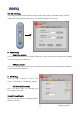
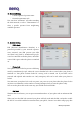

Table Of Contents

BENQ Corporation
33
10. Network Setting
- Current registered operator name
- Network registration style
User can select “Automatic” way when searching
the GSM network, or select “Customization” to
select a specific operator from neighboring
available operators.
11. Security Setting
- PIN1 check
PIN (Personal Identification Number) is a
password provided by your network operator.
Once activated, your PIN protects your SIM
card from being used by unauthorized people,
even if it is inserted in another phone, unless the
correct PIN is given when the phone is switched
on.
- Phone lock
Your phone can be locked to prevent calls being
made by unauthorized people, unless the correct handset lock code is entered when your phone is
switched on. Your phone remains locked if a wrong code is entered, even if your SIM card is
removed and replaced with another one. Only emergency calls can be made when your phone is
locked.
You must enter your phone lock code every time you power on your phone when the phone lock is
on (there is no limitation on the number of wrong attempts when you enter the phone code).
You can set the phone lock in the same way you set PIN check in Set PIN1.
- SIM lock
With this SIM lock feature, you can prevent unauthorized use of your phone with an unknown SIM
card.
When you have the SIM lock activated your phone will only work with the SIM card used to enable
the lock. If a new SIM card has been inserted into your phone, "Insert Correct SIM" will pop up after