
Instruction manual




DAC1 PRE
Instruction Manual Rev I Page 16
Headphone Switch Disable (JP2
and JP4):
The DAC1 PRE is configured so that the
analog outputs will mute when a headphone
plug is inserted into the left-hand jack. This
is convenient when the user wishes to switch
between headphones and speakers. This
feature can be defeated by adding jumpers at
JP2 and JP4.
JP2 and JP4 should be configured as follows:
•
Headphone Switch enabled*** (Jumpers
Removed)
•
Headphone Switch disabled (Jumpers
Inserted)
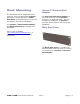
Photo 2 – Headphone
Switch Disable (JP1 and JP2)
Headphone Gain Reduction (JP1
and JP3):
The gain range of the HPA2™ can be set
using jumpers JP1 and JP3. When jumpers
are installed at position “A” the headphone
amplifier gain is decreased by 10 dB. When
jumpers are installed at position “B” the
headphone amplifier gain is decreased by 20
dB.
The ideal gain setting permits the user to set
the front-panel Volume Control above 40%
(10 o’clock) without the headphone volume
being too loud.
JP1 and JP3 are factory installed at position
“A” to reduce the headphone output by 10
dB. This setting is best for most applications.
Remove the jumpers if you need more gain,
or move them to position “B” if you need less
gain.
Photo 3 – Headphone Gain Reduction
(JP1 and JP3)