
System information





10
What is the Belkin Secure
DCU device?
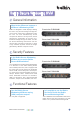
The Belkin Secure Desktop Controller Unit (DCU)
is a remote control device that enables switching
of the available computers/networks through a
small footprint device on the desktop. The Belkin
Secure DCU provides clear indications of the
selected channel through numbers, as well as
programmable text and color.
Can I use the Belkin Secure
DCU with secure KVMs from
other vendors?
No, the Belkin Secure DCU can only be used
with Belkin Secure KVM Switches.
When is it recommended to
use the Belkin Secure DCU?
The Belkin Secure DCU can be used with all
Belkin Secure KVM products that are equipped
with a DCU port. The Belkin Secure DCU
signicantly improves the user’s situational
awareness, and therefore enhances security and
productivity for users that operate continuously
in multiple secure domain environments. It
is highly recommended to use the Belkin
Secure DCU with large KVMs with 8 and
16 ports.
Why the Belkin Secure DCU is
considered a security feature?
The Belkin Secure DCU signicantly improves
the user’s situational awareness, enhancing
security and productivity for users that operate
continuously in multiple secure domain
environments. The Belkin Secure DCU enables
secure, physical separation between the KVM
and the connected computers from the user’s
desktop.
What is the maximum distance
possible between the DCU and
the KVM?
The cable supplied with the Belkin Secure
DCU is 6ft long. Longer cables from Belkin
can be used to provide a maximum length
of approximately 50ft. The Belkin ordering
information for these two cables are:
Belkin Part Numbers:
F1D9026-06 -
DCU Cable, RJ14, 6P6C, 26AWG, 6ft.
F1D9026-50 -
DCU Cable, RJ14, 6P6C, 26AWG, 50ft.
What important operational
features of the KVM are disabled
when using a DCU?
When using a DCU, channel changing is done
through the DCU unit, not through the channel
push buttons on the KVM itself; the push button
functions are therefore disabled.
Belkin Secure DCU (Desktop Controller Unit)
General Information
Functional Features
Front-view F1DN003R
Front-view F1DN003R
Back to Table of Contents
10