
Hardware Description




15
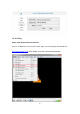
Figure4
Note: you need to click “Reveal” to get the stream name/ key.
Step2: RTMP Setting
Step: Enter the full RTMP URL and stream name/ key in HEV-2KW Encoder RTMP
Interface → click “Start” to live. Click the button “Stop” in this page when you need to
stop your live stream.
Server URL: To fill in the RTMP stream address of live stream platform. Each live
stream platform has different and unique RTMP push stream address.
Stream Name/Key: To fill the stream name/ key of live stream platform. Please make
sure server URL and key/name are correct corresponding to the live stream platform.
Status: Displays the connection status of the device and the live stream platform.
Please ensure the status column as “disconnected” so that you can enter the server
URL and stream key.