
Hardware Description




14
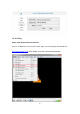
1. Log in YouTube Live and click on the image icon in the top right corner (figure1).
Figure1
2. Select “ENCODER LIVE STREAMING” as the picture shown (figure 2).
Figure 2
3. Select “Live Streaming” → select “Stream now” (figure 3).
Figure 3
4. Then find “ENCODER SETUP” to get the Server URL and stream name/ key
(figure 4).