
Operation Manual







138
8VHUPHQX
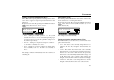
For selection, request user menu. By pressing the multifunc-
tion button request the second plane of the user menu.
Using the multifunction button select either
653@,
40?,+ or 05+,7,5+.
The setting is stored automatically.
$8;LQSXW$X[
This can be used to switch on the CD changer AF connections
if no CD changer is connected. An external unit (Discman,
Walkman, etc.) can then be connected.
For selection, request user menu. By pressing the multifunc-
tion button request the second plane of the user menu.
Using the multifunction button select either
"%
46+,65
(on) or <?46+,6-- (off).
The setting is stored automatically.
In CD mode, press the multifunction button in order to
select AUX mode.
&RPSDVVGLVSOD\&PS
When the Navigation is not active, it is possible to have a
compass and the current time shown on the right side of the
display.
For selection, request user menu. By pressing the multifunc-
tion button request the second plane of the user menu.
Using the multifunction button select either
:/6>
*647(::
(compass is displayed) or /0+, *647(:: (com-
pass is not displayed).
If the compass display is switched off, 9 multifunction but-
tons are assigned transmitter abbreviations in FM - DAS
mode (route guidance not active).
The setting is stored automatically.
SM
(=
E*&5"!
(=<? 47 LS
,#
SM
<?
*,!",+
(=
<? 47
LS
,#
<?
SM
47
0%,4 ,*-00
(=
<?47 LS
,#